
Pimmix releases version 2.3 - New major enhancements
 16-12-2025
 Reading time 4 minutes
Core improvements across article management and data visibility
Pimmix version 2.3 introduces a set of foundational improvements that enhance how users view, search, and manage product data across the system. The update focuses on making large datasets easier to work with by improving configurability, visibility, and day-to-day usability. More flexible views, improved sorting and filtering, and clearer data presentation help users navigate complex assortments faster and with fewer errors.
Articles
Updated and more flexible article overview
The article overview in Pimmix has been fully redesigned to offer significantly more flexibility and control. Users can now work with overviews that align directly with their workflows, making it easier to focus on the information that matters most in each situation.
Overviews can be configured to support searching, filtering, and efficient data handling within a layout tailored to specific needs. This allows to quickly locate relevant information, while users can easily adjust, maintain, and keep these views up to date as requirements evolve.
In practice, this means users can create purpose-built overviews for tasks such as website product management, new item onboarding, customer-specific selections, and virtually any type of listing required across the organization.
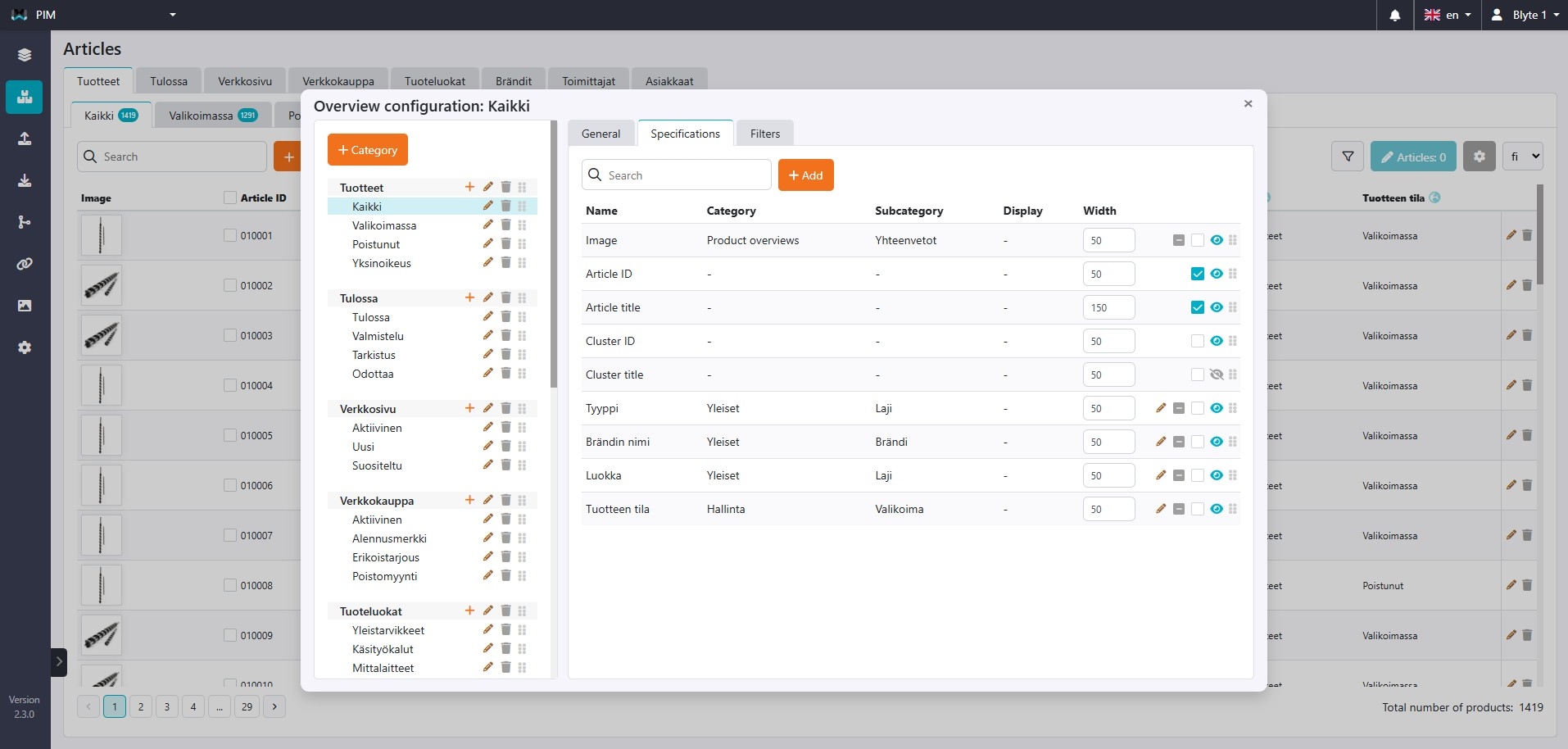
Manage categories, overviews, and visible data yourself
You can create and modify your own overview categories, listings, and the data shown within them. This gives you full control over how information is structured and displayed, allowing you to tailor views to your specific workflows without relying on technical support.
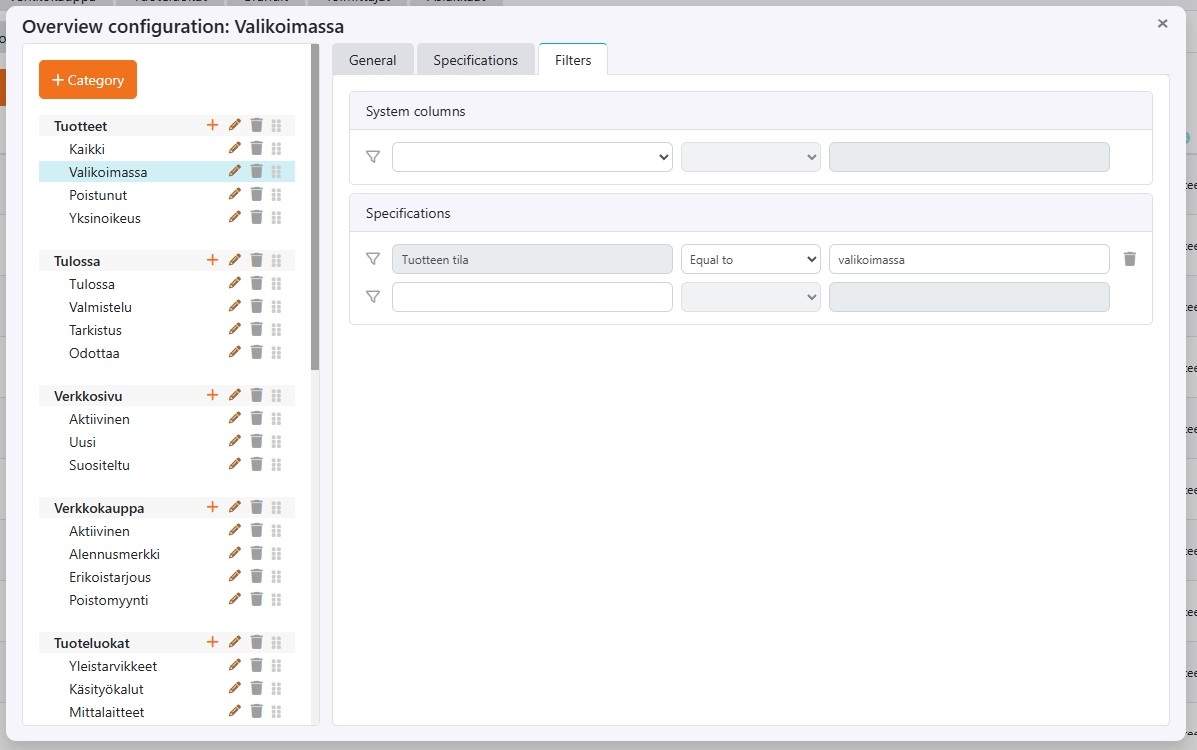
Set standard filters
You can define standard filters for any specification directly from the filter menu. For example, you can filter articles with incomplete assets or items that are available at a specific retailer.
Combined with the updated article overview and expanded filtering options, this gives you full control over which information is displayed. As a result, you always work with an overview that best supports your current tasks and priorities.
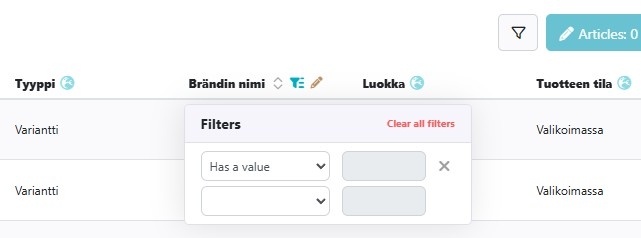
Improvements in sorting, filtering, and columns
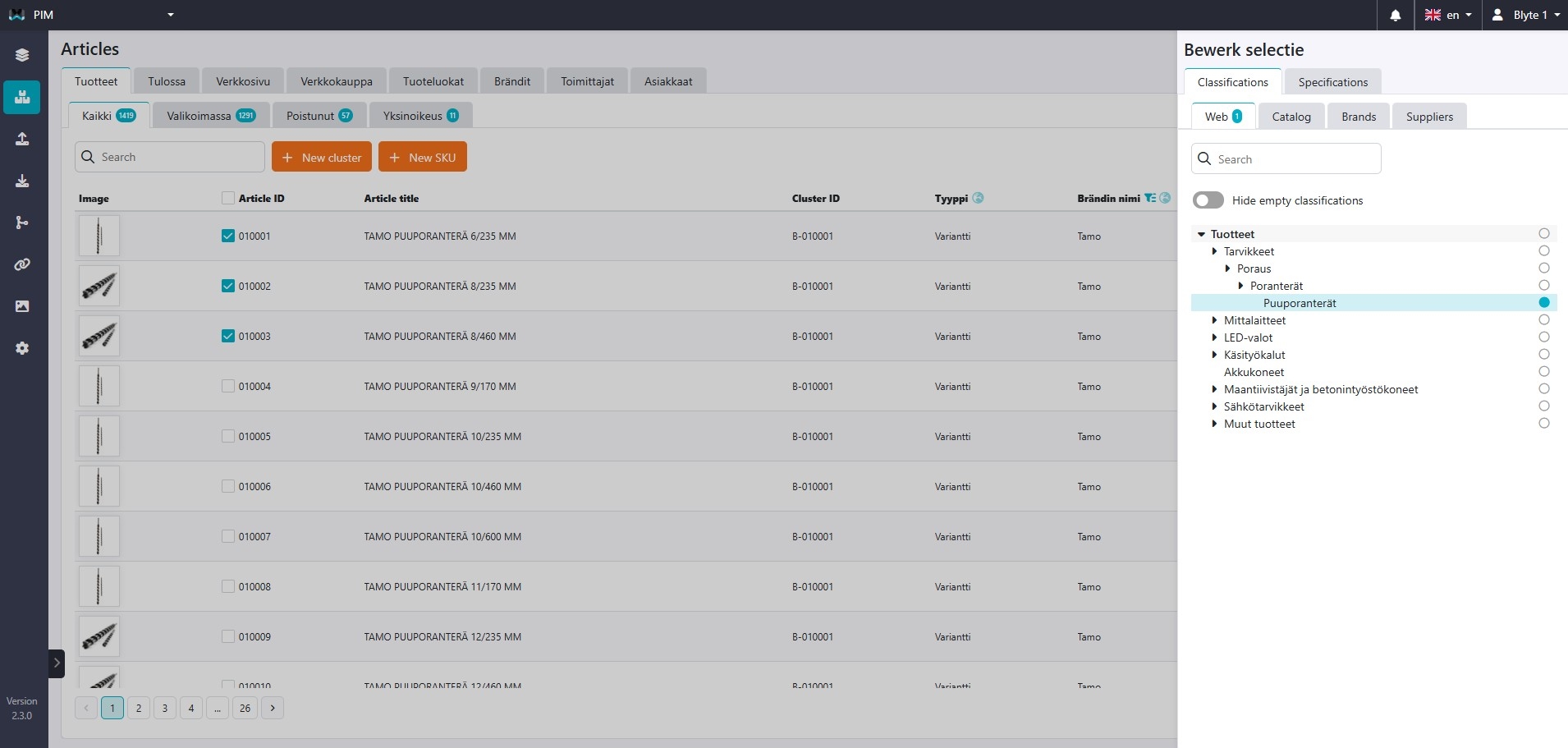
In addition to the familiar functions such as search, new SKU creation, and cluster management, the article overview in Pimmix has been further improved. Users can now display more columns, sort data more easily, and work with a faster and more responsive interface.
Filtering can be applied directly within the overview, for example by brand name, making it quicker to narrow down large assortments. Columns can also be pinned so that key information remains visible while scrolling horizontally, improving orientation when working with wide datasets.
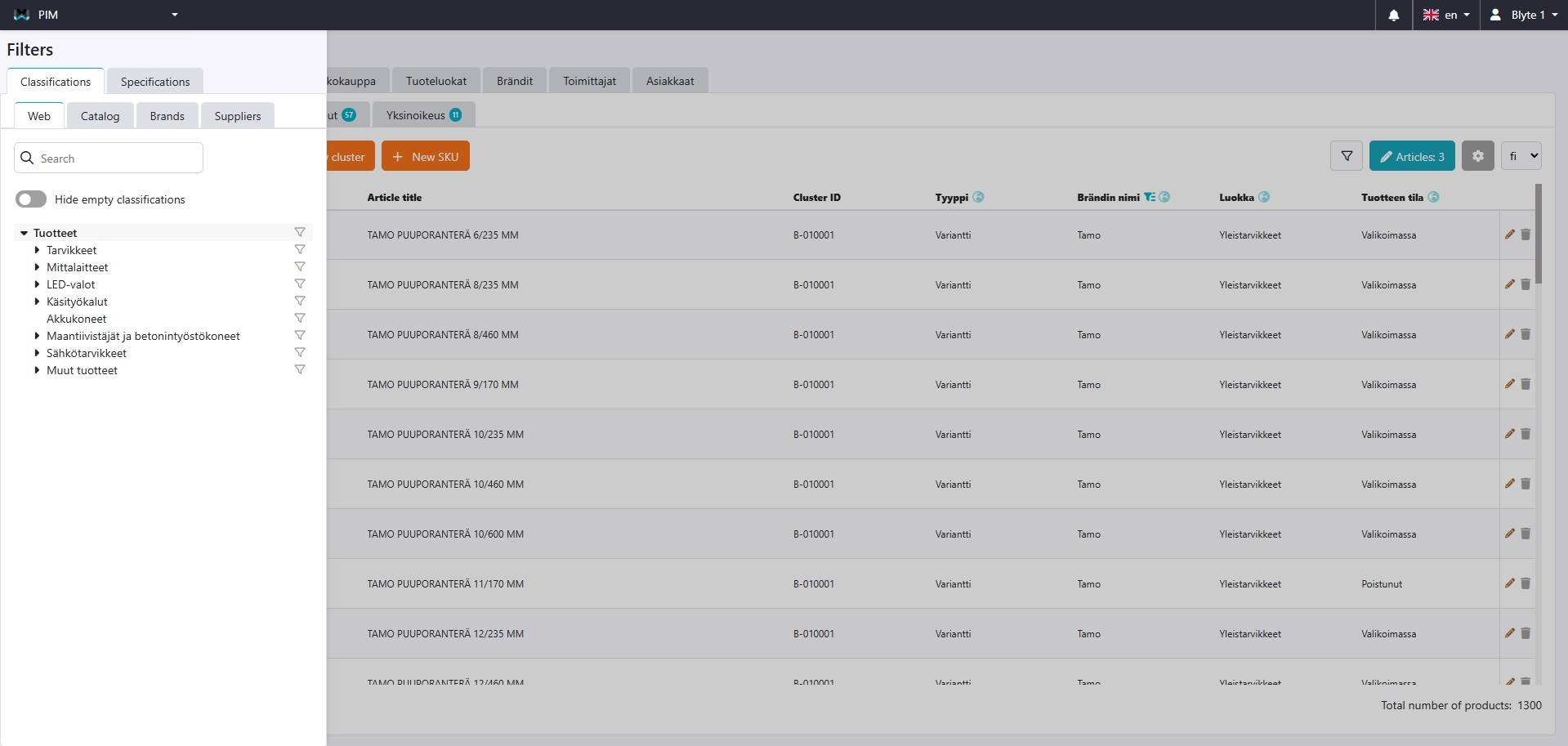
Besides filtering on columns and attributes, you can also filter by groups, allowing you to view only the articles that belong to the selected group or groups. This makes it easier to focus on specific assortments or selections without distraction.
Bulk actions
A major new addition in version 2.3 is the ability to select and edit multiple articles at once. Users can now perform actions across multiple articles simultaneously, such as creating clusters from selected items or linking several articles to a group in a single step. This reduces manual work and speeds up common data management tasks.
Multilingual display
The article overview now includes a language switch, allowing you to easily change the displayed language. This makes it simpler to review and manage product data across different languages directly from the overview.
Total number of articles
The total number of articles is now displayed in the overview, providing immediate insight into the size of the current selection and helping users better understand the scope of the data they are working with.
Product edit screen
Manage multiple languages in a single view
Pimmix allows users to manage all product languages side by side within a single view. Instead of switching between languages one by one, users can see, compare, and edit content across multiple languages at the same time. This makes it easy to spot inconsistencies and understand the overall language coverage at a glance.
Monitor data completeness across languages
By displaying all languages in parallel, users can quickly identify which fields are complete and which are still missing content. This makes it much easier to track translation progress and ensure that product data is consistently filled across all required languages before publication or data delivery.
Generate, structure, and edit content with AI
Integrated AI tools allow users to generate, structure, edit, or refine product content directly within the language view. AI can be used to create missing texts, improve existing descriptions, or adapt content to different structures and requirements, all within the same workflow.
On-demand and automated AI translation
AI translation can be triggered on demand by selecting a source language and the specific fields to be translated. In addition, Pimmix supports fully automated background translation, allowing content to be translated continuously without manual interaction. This ensures that multilingual product data stays up to date as changes are made.
Price list module
Price finder
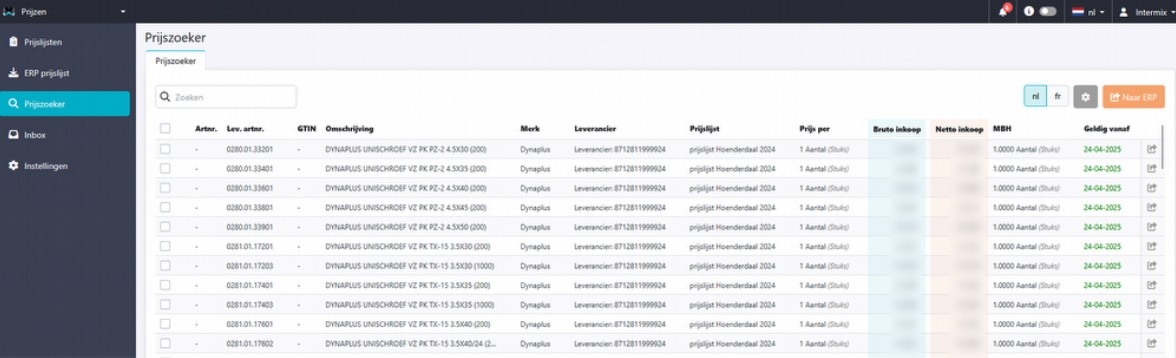
A new component has been added to the Prices module: the Price Finder. This feature allows users to quickly search for articles and compare prices across the system.
The Price Finder provides a clear overview of all price lists and articles, making it easy to locate specific pricing information and understand how an item is priced in different contexts.
Compare
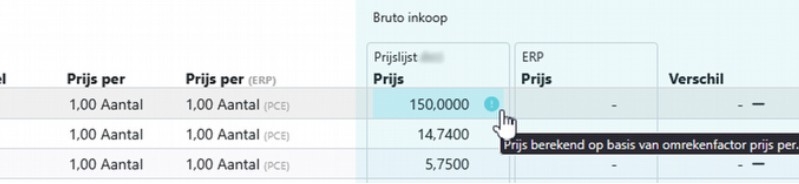
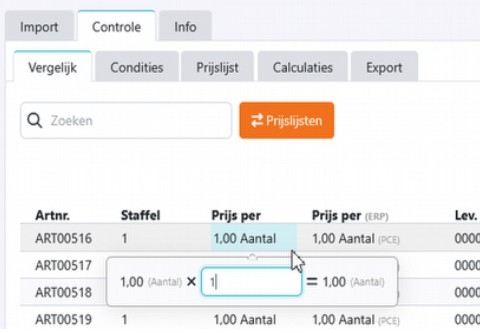
Several improvements have been made to the comparison screen. A new conversion notification icon indicates when prices are defined in a different unit than the required sales unit.
Using the specified conversion factor, prices can be automatically recalculated to the correct sales unit. This ensures that price comparisons are always accurate and based on consistent units.
Notification
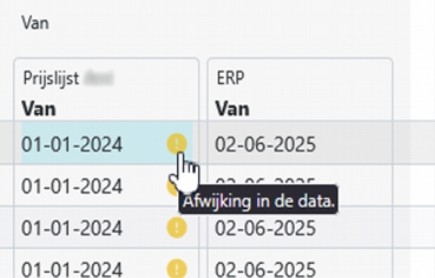
A notification is displayed when data from your ERP price differs from supplier's data. This is indicated by a yellow exclamation mark, making it immediately clear which values do not match and require attention.
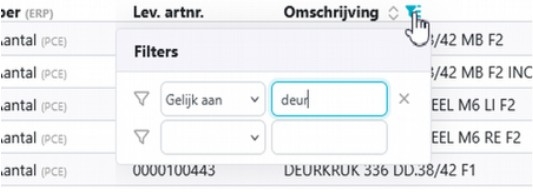
Filter option
You can now filter columns within the price module, for example by article number, to quickly find the desired articles.
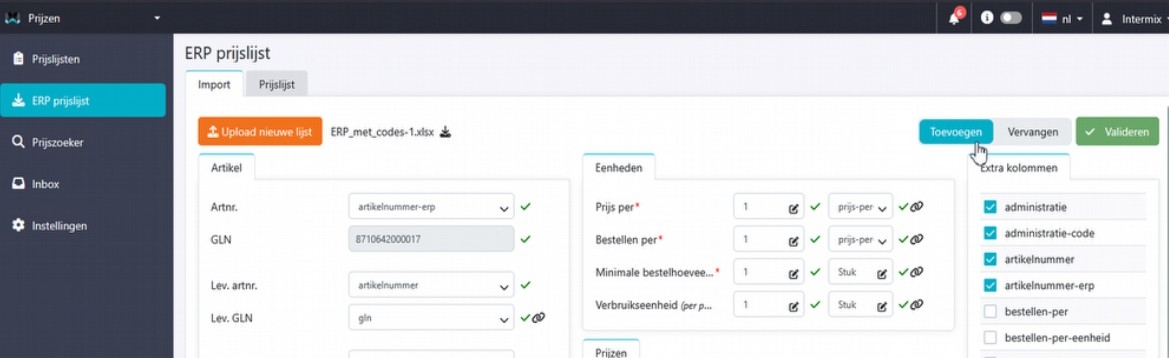
ERP price list
ERP data is imported to compare prices with supplier prices. The imported list replaces the current list. A new function has been added: you can now choose to keep the current list or add ERP data to it, making the list more complete.
EAN codes
EAN codes have been changed from ‘invalid EAN validations’ to warnings only. Incorrect EAN codes are now shown as warnings, allowing you to continue working on the price list without interruptions.
Calculations
You can now copy a calculation from another price list. The same calculation is automatically applied, saving a lot of time.
Supplier price list submission
Suppliers can upload and send price lists. A new status has been added: “sent”. This allows you to see immediately which price lists have already been submitted.
Extra fields for suppliers
Suppliers can now include extra fields in their price lists. In addition to the standard price fields, additional columns can be sent to the retailers.
Rounding decimals
You can now configure how decimal rounding is applied. Prices are rounded to a maximum of four decimals by default. You can now adjust this to 2, 3, or 4 decimals.
Export
As a retailer, you can export your ERP price list. All price lists and ERP columns can be included. New: you can now also include supplier columns and discounts. Using the discount function, the discount price can be automatically calculated and exported.
General improvements
We have made several improvements and refinements to ensure smoother functionality across the system. Want to review these improvements? Simply check the version button in your Pimmix system!
Note!
Some new features may not be immediately available or visible in your Pimmix environment. Please check your system for availability and rollout status.