
Pimmix version update 2.4: Smarter asset management
 26-1-2026
 Reading time 2 minutes
What this version update release focuses on
Pimmix version 2.4 is centered around making everyday product data work smoother, especially when it comes to managing assets, exporting data through the Conversion Hub, and improving usability across multilingual environments. The update introduces new tools that reduce manual effort, strengthen data reliability, and help teams scale product information delivery with more structure and confidence.
Assets
There is a new functionality added to the PIM: importing and exporting assets. With this feature, you can add a large number of assets at once to an entire range or group of products. This saves time and makes asset management clearer and more efficient.
Product asset overview
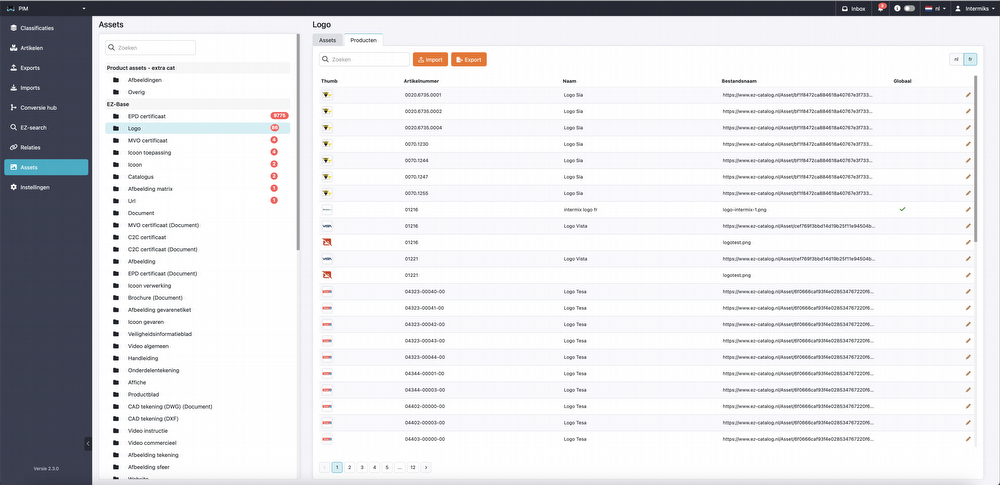
The new functionality is available under the Assets tab. Here you will find an overview of all assets that can be reused within the PIM. When you open an asset group, you will see a new tab next to the asset overview: Products. This tab displays the same assets, but now linked to specific products. You will see, among other things:
-
Product name
-
Product number
-
File name
-
Indicator
If there is a checkmark next to Global, the asset is a general asset that can also be found in the general assets list. If this checkmark is missing, the asset was uploaded directly via the product.
Export
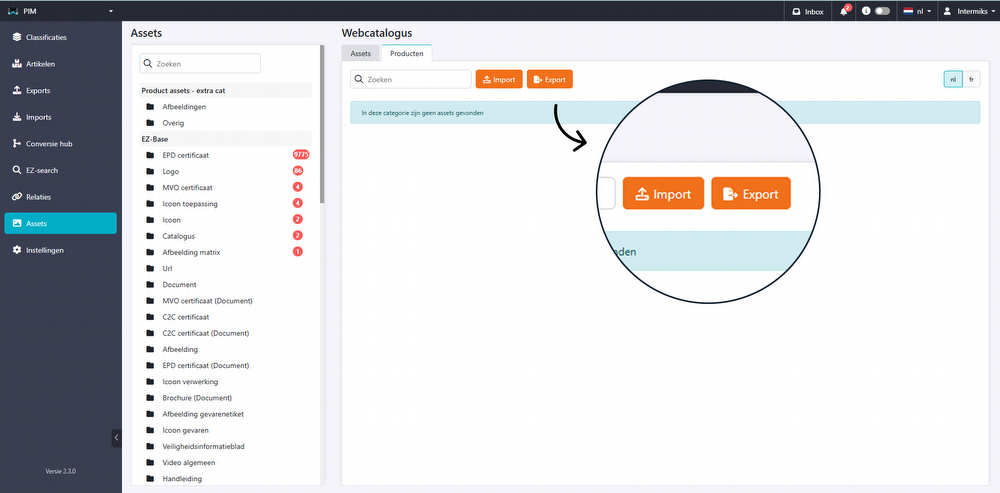
Using the export function, an Excel file containing all assets is automatically generated.
Import
By re-importing a file, changes are applied directly in the PIM system.
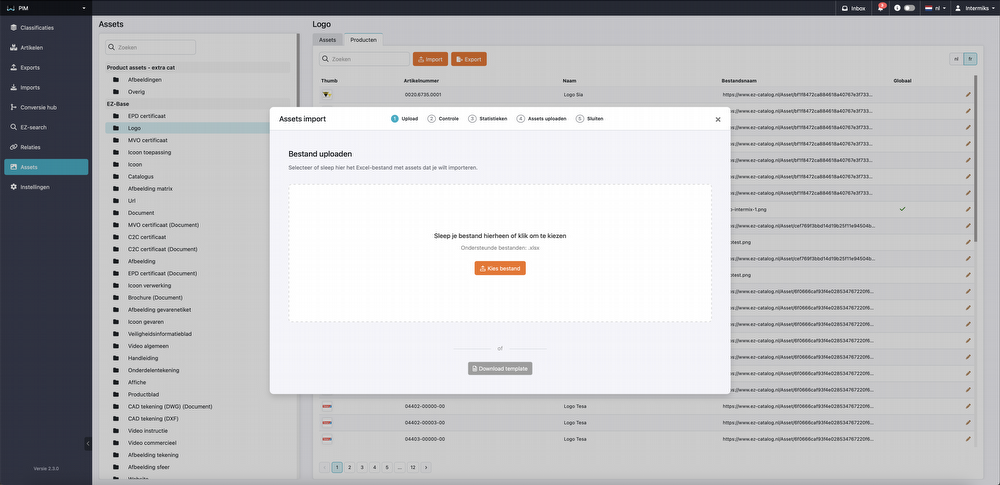
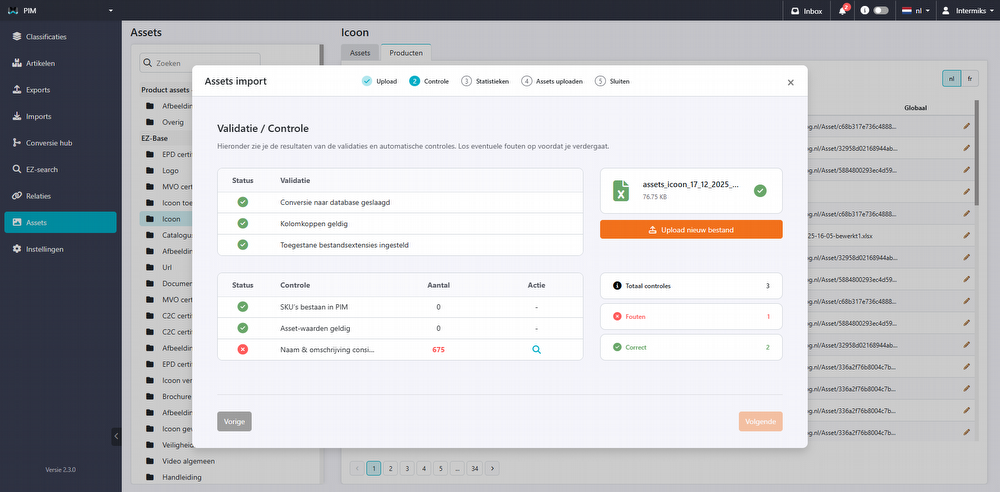
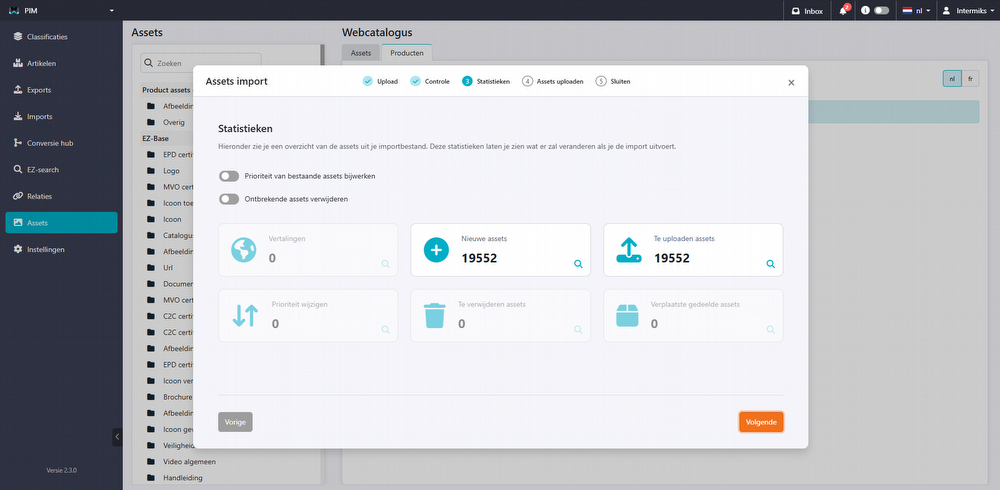
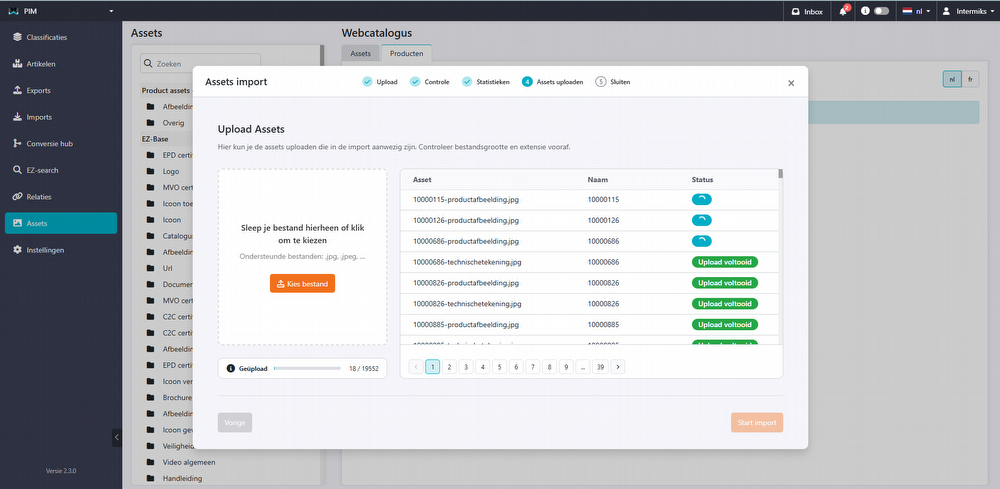
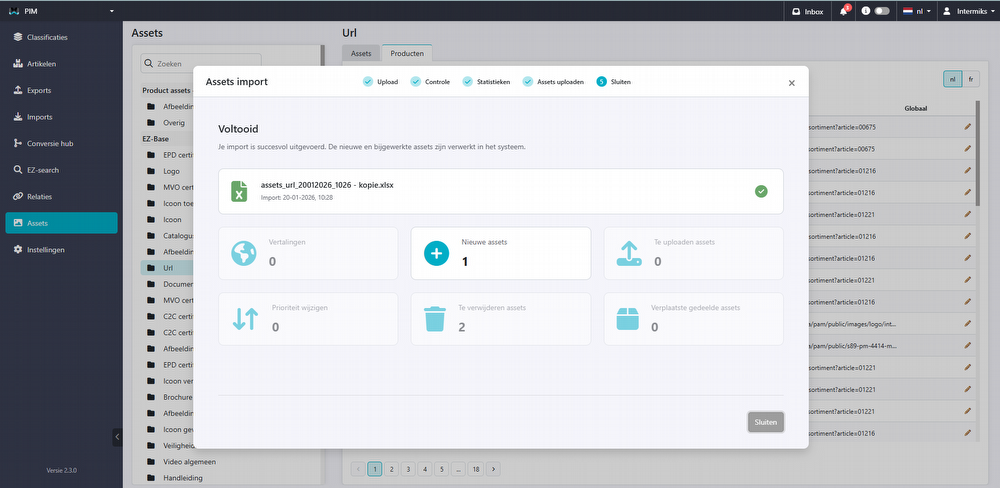
The updated import process automatically validates your data and provides a clear overview of new and existing assets, missing information, and priority changes. Uploading is easy, either via drag & drop or manual selection, with real-time progress tracking. Once completed, you receive a clear summary of all actions. Thanks to these improvements, managing your assets is faster, more organized, and more reliable than ever.
Conversion Hub
2BA DICO Export
- The export has been split into two separate exports: “Article” and “Product”, to better support differing selections.
- A validation screen has been added to check exports in advance.
GS1
- Updated to the latest version.
Settings
Searching within attributes now supports all languages, improving data management and retrieval.
General improvements
We have resolved several bugs and improved functionalities. Would you like to review these bug fixes? Check the update button in your PIM system!
Important
Some new functionalities may not be immediately available or visible in your PIM system. We're rolling out updates to the systems gradually. Additional costs may apply to certain features.