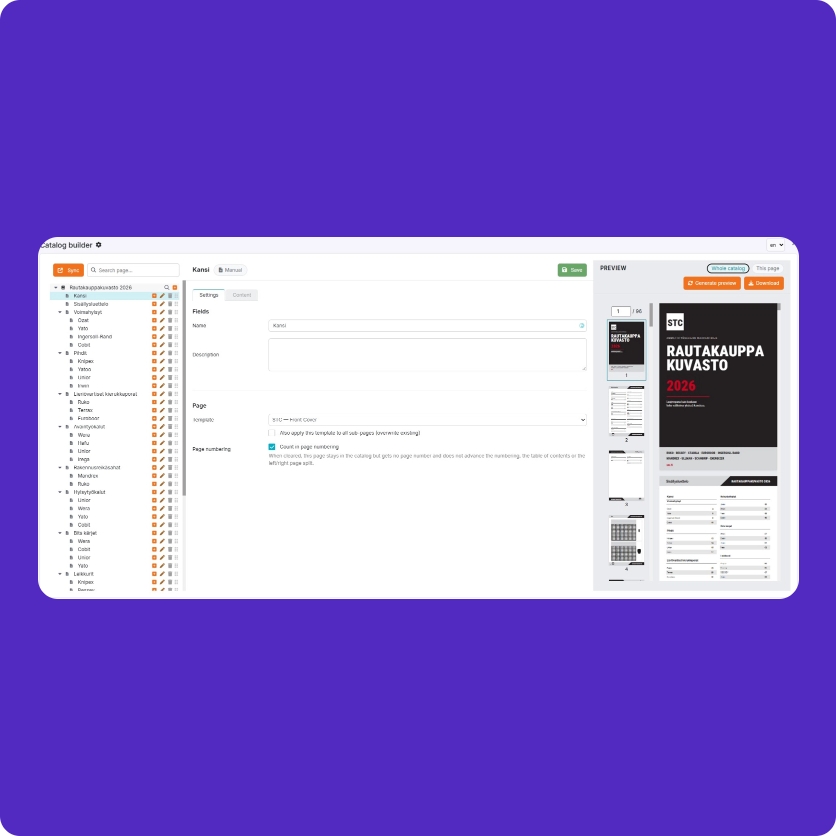
Pimmix Publisher: Automate marketing, sales and in-store materials
 5-10-2026
 Reading time 3 minutes
A surprising amount is still done manually. Or not done at all.
Product catalogues, product sheets, price lists, brochures and other sales and marketing materials are still surprisingly often created manually. Product data is copied from Excel, ERP or other systems, images are placed manually, technical information is checked, and different language versions are maintained separately.
Creating a single piece of material may not feel like a major task. The challenge is that the same work is repeated continuously. Products change, prices are updated, technical information is revised, new language versions are needed, and different assortments are required for different customers or markets.
And often some of the materials that are needed are not created at all, simply because there is not enough time or resources to produce them. This can mean that sales teams do not always have up-to-date product sheets, market-specific materials or customer-specific assortments available when they need them.
When materials can be generated quickly from up-to-date product data, they can be created more often, in greater variety and at a consistently higher quality. At the same time, sales teams have better tools to present the right products with the right information exactly when they are needed.
What can you create with Pimmix Publisher?
Publisher is suitable for practically any recurring product-driven material. It can be used to create product catalogues, product sheets, technical datasheets, price lists, sales brochures, campaign materials, customer-specific assortments and different language versions of the same materials.
A company can, for example, have one template for individual products, another for product families and a separate structure for larger catalogues. The same product data can be reused across all of them without having to maintain the content separately in each material.
Publisher also does not mean that a company has to replace its current product information management system. Product data can come from Pimmix, an existing PIM or ERP system, Excel or another structured source.
Make creating product materials as simple as possible
Pimmix Publisher connects your existing product data to visual templates and automatically generates catalogues, product sheets, price lists and other materials. Update the data once and regenerate the materials you need for different products, languages or assortments.
Publisher from 1.30 € / page*
OR
260 € / month unlimited use (12-month agreement)*
*A branded publishing template starts from a few hundred euros as a one-time cost. Users can also make more and more changes themselves.
How Pimmix Publisher works
First, it is defined which material should be automated and where the product data used in it comes from. In many cases, the best starting point is an existing catalogue, product sheet or price list that currently requires a lot of manual work to produce.
Next, the existing visual material is turned into a dynamic template in Publisher. The company’s own visual identity, typography, colours and structure remain unchanged. The difference is that product names, descriptions, images, technical information, prices and other elements are linked directly to product data.
Once the template is ready, the user selects the products or product groups to include in the material. Publisher then generates the material automatically based on the selected structure and product data.
The same template can also be used for different language versions. If the product data is available, for example, in Finnish, Swedish, English or Norwegian, Publisher can automatically use the correct language content. Pimmix AI features can also be used, for example, for creating, improving and translating content.
If the data changes later, the material does not need to be corrected manually page by page. The source data is updated and the material is generated again.
Read more about how it works here.
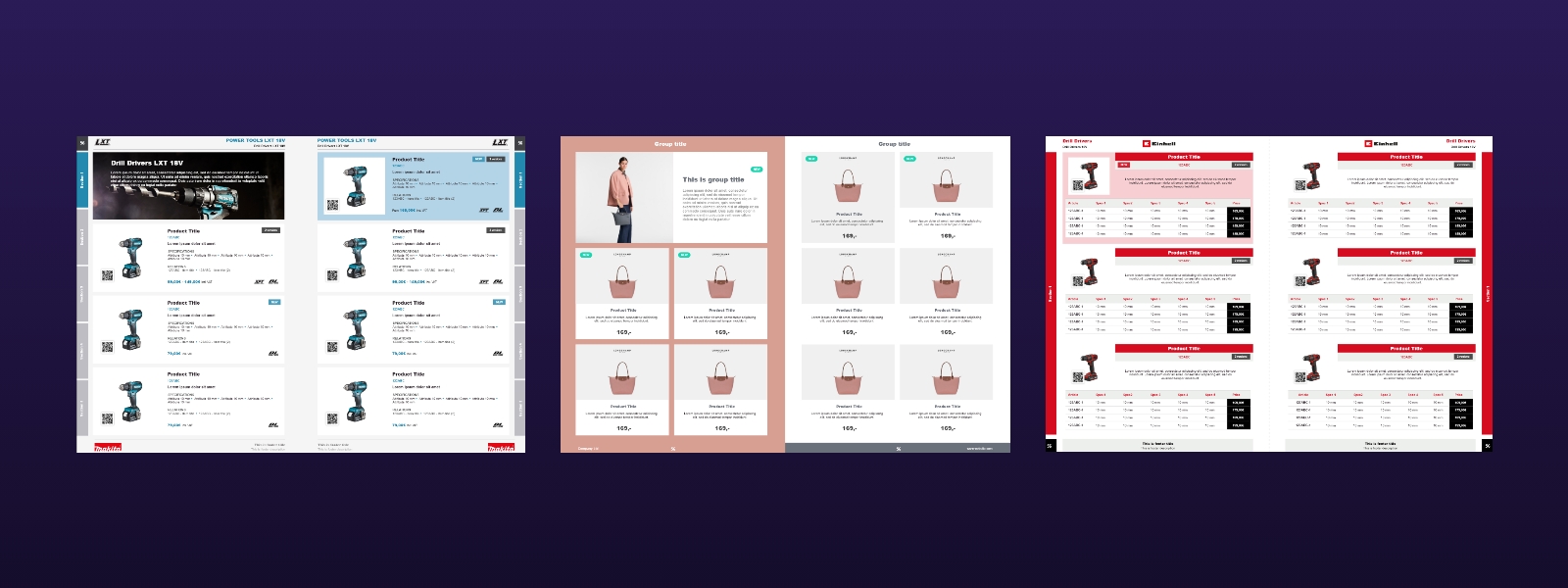
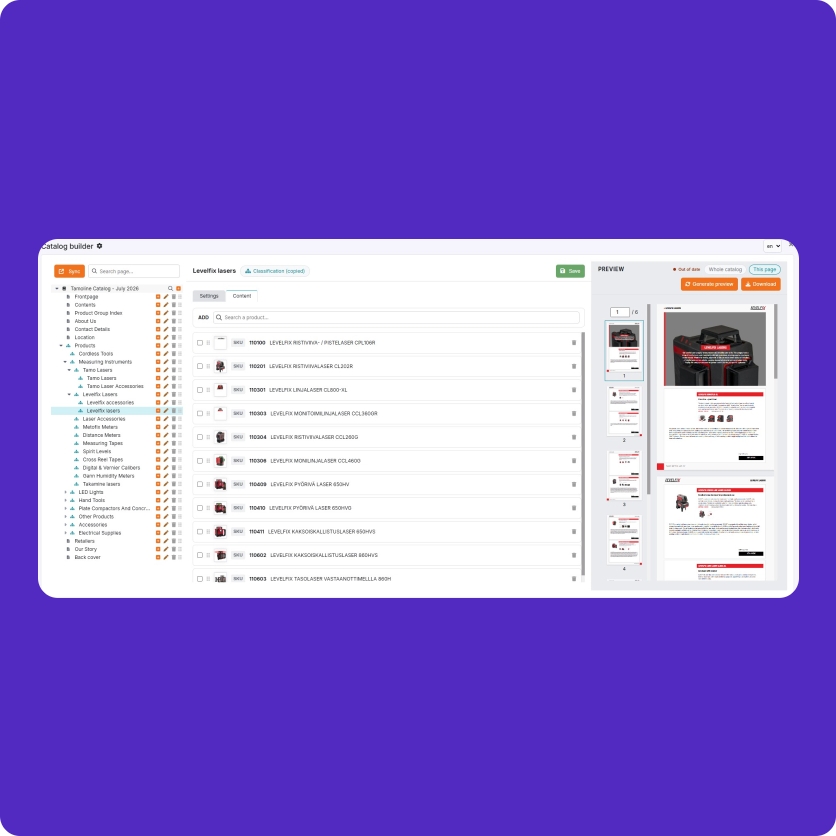
Examples of product catalogues automated with Pimmix Publisher using the visual identities of different brands and product groups.
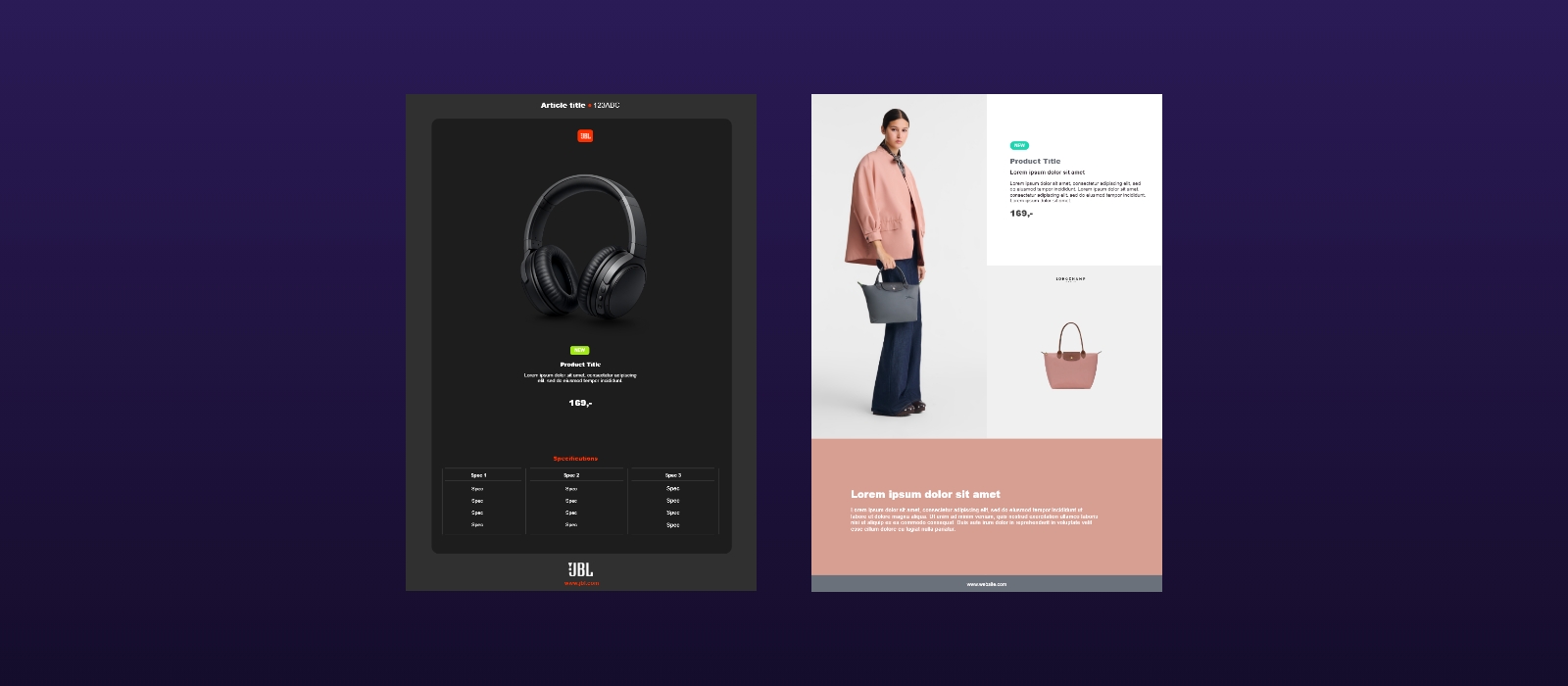
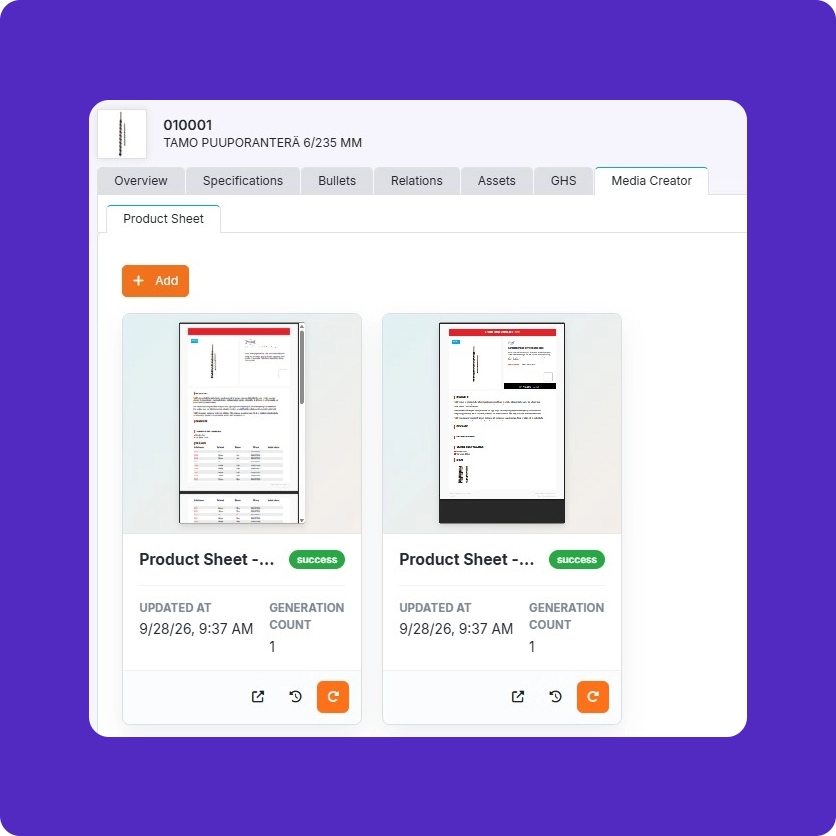
Examples of product sheets and sales materials where product data, images and technical information are updated automatically.
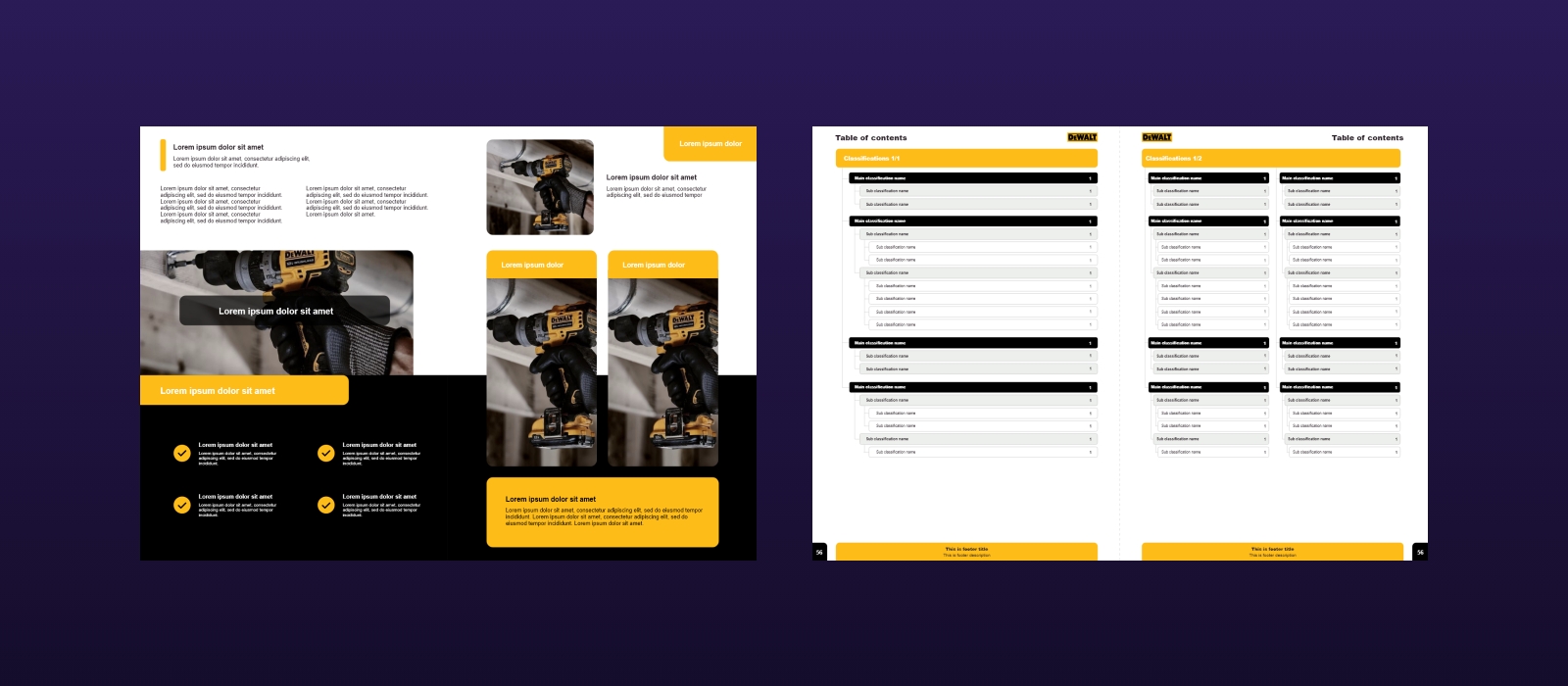
Examples of dynamic publishing elements and automatically generated tables of contents.
Publisher can be implemented without a major project
Implementing Publisher does not need to be part of a large system project. The solution can be introduced as a completely standalone service alongside your existing systems.
A company can, for example, start with a single product sheet or catalogue that is currently created manually. The required product data is connected to Publisher and a dynamic template is built for that material.
Once the first use case is working, the solution can be expanded to other materials, language versions or product assortments.
This makes it possible to start automation from one concrete need without having to change the entire product information management setup or existing systems.
How much does Pimmix Publisher cost?
When implementing Publisher, the first cost is for building the publication template. This is a one-time cost, and the price depends on the structure and complexity of the template.
After that, Publisher can be used in two different ways.
If materials are only produced occasionally, the price is 1.30 € / generated page. This is suitable, for example, for a company that creates a larger catalogue or other material once or a few times per year.
If materials are produced continuously, unlimited use of Publisher costs 260 € / month with a 12-month agreement. In this case, catalogues, product sheets, price lists, language versions and other materials can be generated without page-based pricing.
For example, a company with thousands of products and a need to continuously generate new product sheets, materials for different markets or customer-specific assortments will usually benefit from the unlimited model.
Publisher is continuously developing towards greater self-service, so users can make more and more changes to publication templates themselves.
Start with one material
You do not need to automate everything at once. A good starting point is to choose one catalogue, product sheet, price list or other material that currently takes unnecessary time to produce. Together, we review the existing material and available product data and assess how much of the work can be automated.
Often, the most important question is very simple:
What if this material only had to be designed once, and from then on it could be generated at the push of a button using always up-to-date product data?

Markus Rahkonen
Co-founder
“A lot of product materials are still created manually – or not created at all because there simply is not enough time or resources. Publisher makes high-quality, up-to-date catalogues, product sheets and other materials a continuous process instead of a separate project. That also makes selling easier: the right products can always be presented with the right information.”
Call | Email | Send a message | Book a demo
How it works
Product sheets directly from product data
Create product sheets automatically directly from your product data. When the product data changes, the materials can also be updated automatically, ensuring that the information is always up to date. Generate materials automatically in all languages.
Build catalogues at product group and product level
Select the product groups and products you want and define the right views for each group. The data is placed automatically in the correct positions and updates according to the product information. Easily create different language versions from the same content.
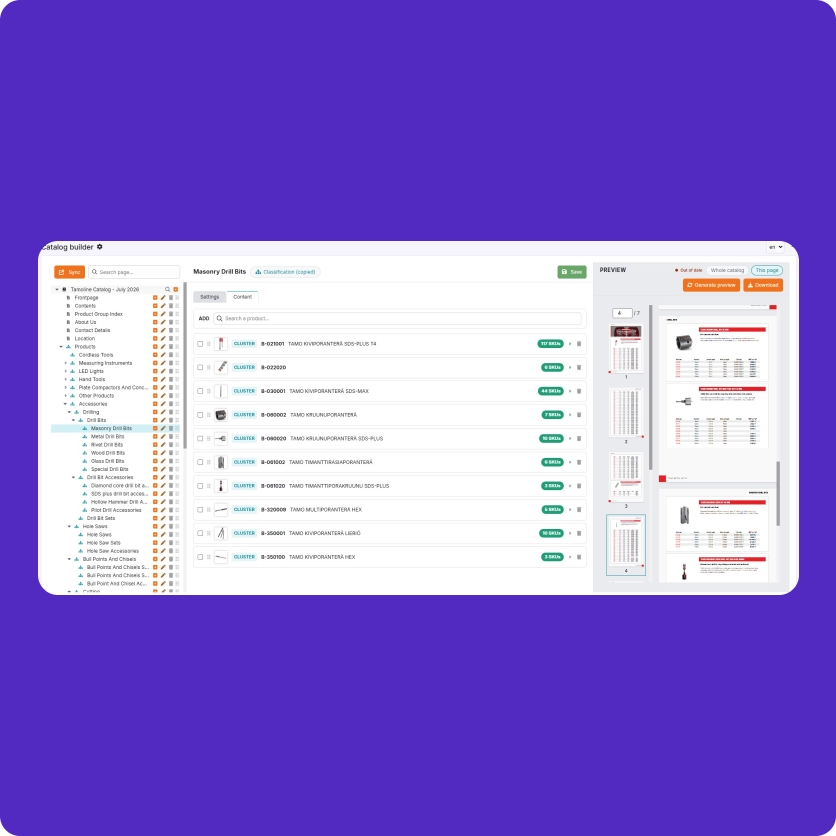
Manage variant products at group level
Bring variant products together in one view and choose the desired publication template for the group. Products, properties and data are automatically placed in the correct positions and updated according to the product information. Easily create different language versions from the same content.
Dynamic content and automatic tables of contents
Build publications from dynamic content elements and add external PDF pages such as covers and information pages when needed. Tables of contents are generated automatically based on the structure of the publication.