
Pimmix version release 3.0 - Renewed interface and new features
 3-9-2026
 Reading time 2 minutes
A renewed experience with more powerful ways to work
Version 3.0 brings together a refreshed user experience and several significant functional improvements across Pimmix. From clearer navigation and background processing to new article views, export capabilities, AI enrichment, integrations, catalog creation, and API functionality, the release further improves how product information can be managed and used throughout the entire product data process.
General
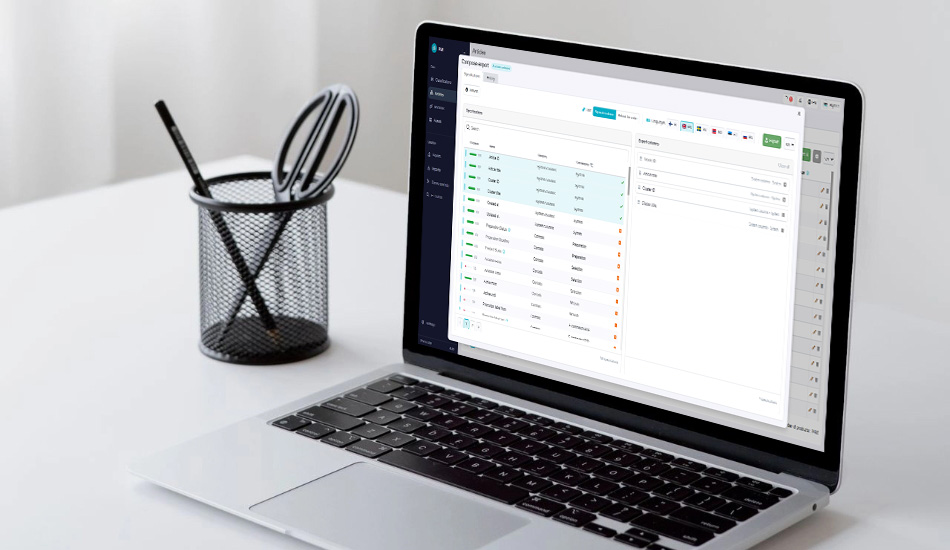
Renewed interface
Pimmix has received a renewed, modern interface. The layout is cleaner and more structured, with elements such as font sizes standardized throughout the system. The left-hand and top navigation bars have also been redesigned, while breadcrumbs now make it easier to see where you are within Pimmix.
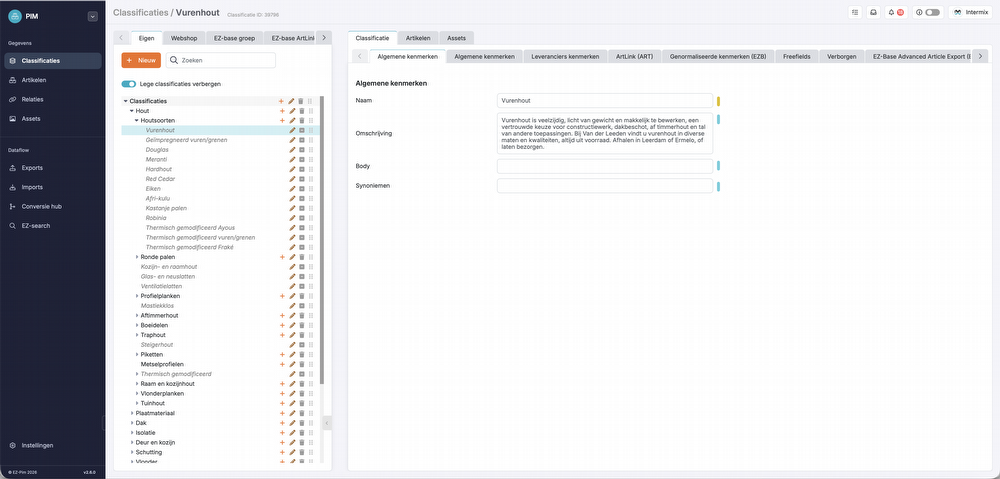
Improved notifications screen
The notifications screen has received a refreshed look and feel. The interface has been redesigned to make notifications clearer and more modern, while font sizes have also been standardized.
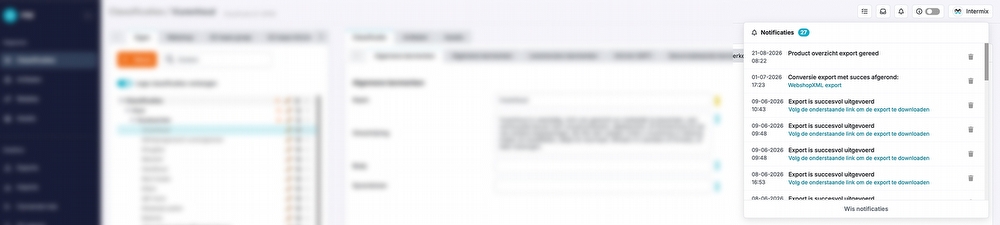
Notifications
Notifications are now shown at the bottom of the screen instead of at the top. This keeps the workspace clearer and prevents notifications from getting in the way while working.
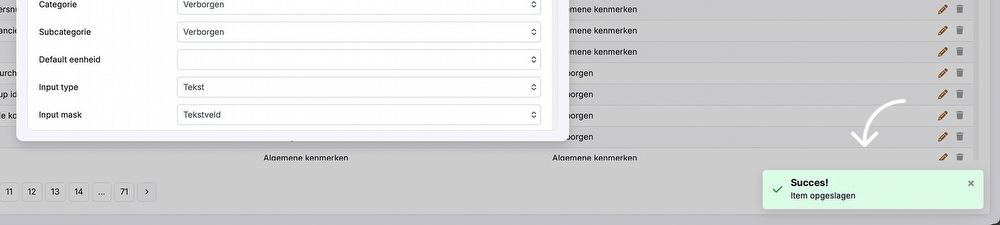
Various process and data caching improvements
Several data-processing processes have been optimized, allowing background processing to run more smoothly and efficiently.
In addition to the notifications overview, a new icon is now available for viewing ongoing processes. This makes it easy to see which tasks and processes are currently running in the background.

Overviews
Export functionality added
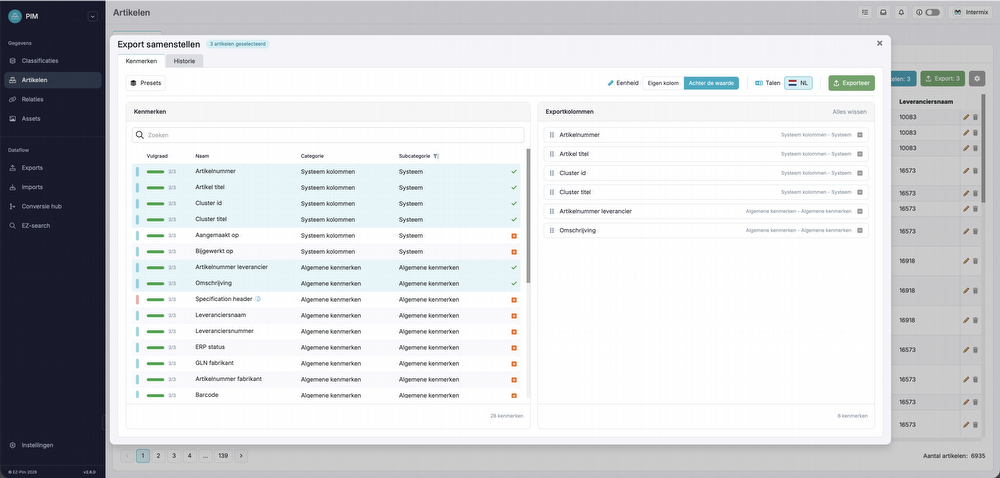
A selection of articles can now be exported directly from the article overview. You can select which attributes, languages, and units should be included and determine how the columns should be structured.
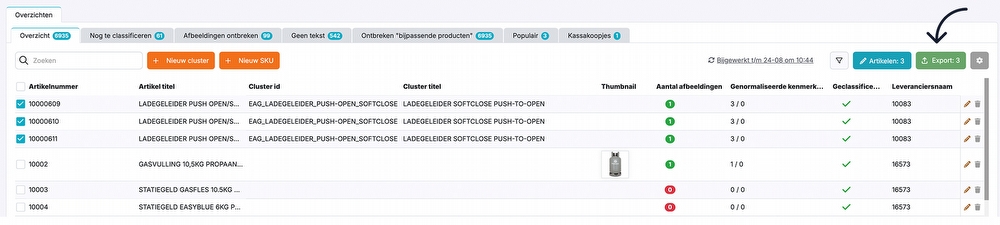
Exports are processed in the background and added to the export history. This means you can leave the screen while a larger export is being processed and download it later. You can also save your export structures for later use.
Classifications
Separate cluster & individual article overview
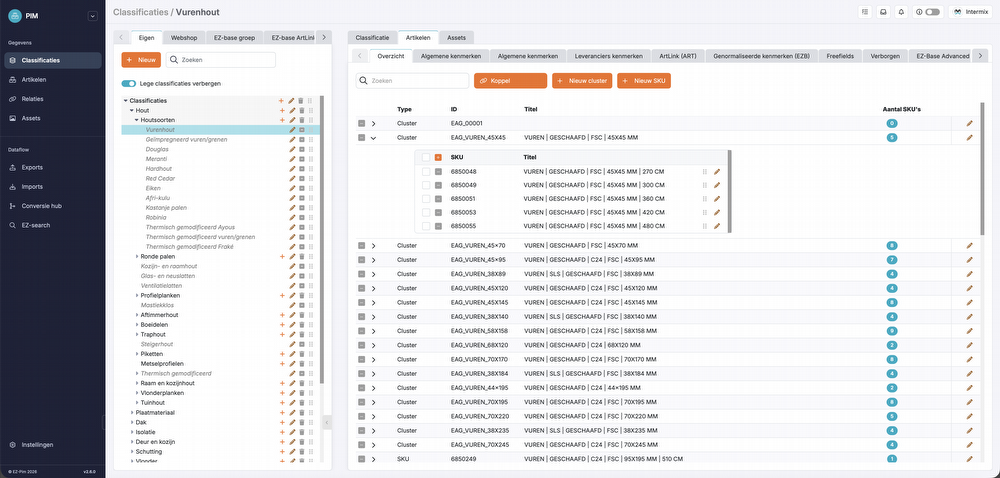
A new overview tab has been added within Articles, showing immediately which clusters and individual articles are linked to a classification. This provides faster insight into the structure of a classification without having to navigate through all its attributes.
Sorting option moved to cluster overview
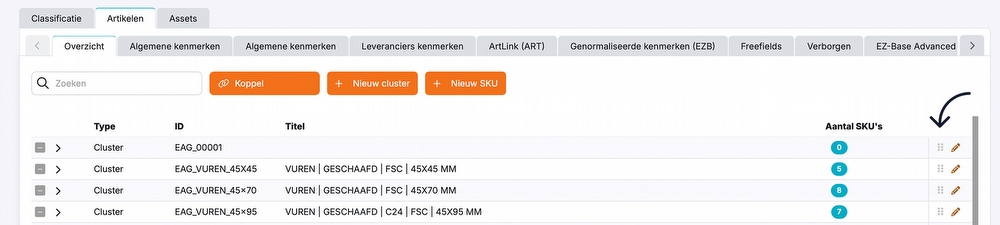
The sorting option has been moved to the new cluster and article overview. This makes it clearer what the sorting applies to and keeps the functionality in a more logical location.
Articles
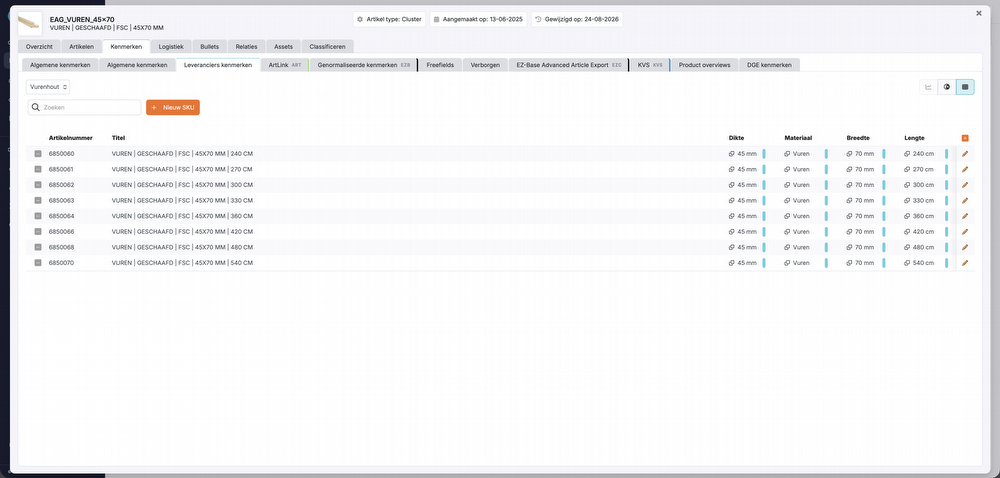
SKU matrix view
A new matrix view has been added, allowing linked variants to be displayed clearly in a matrix. Product data can also be viewed and edited directly from this view.
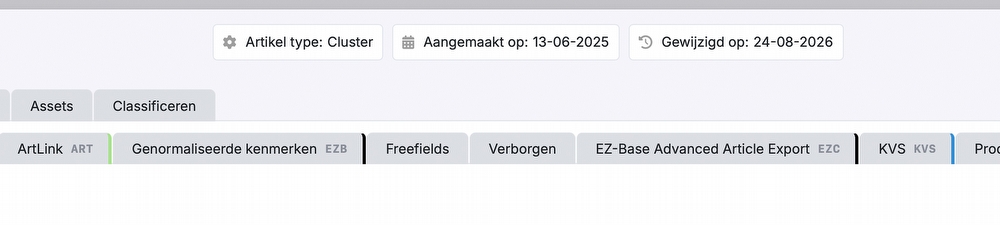
Colored tabs
Tabs in this overview now use the color associated with the relevant data source. This makes it easier to recognize the source of product data at a glance, distinguish between different sources, and navigate product information more quickly.
Locking EZ-base enrichment
Enrichments received from EZ-base can now be locked at article level. When locked, the information is retained even if an article is temporarily no longer supplied by EZ-base. This prevents product information from unintentionally being removed from Pimmix and any connected channels.
Please note! This new functionality is not directly available or visible in the PIM system. Additional costs may apply.
Please inquire about the possibilities.
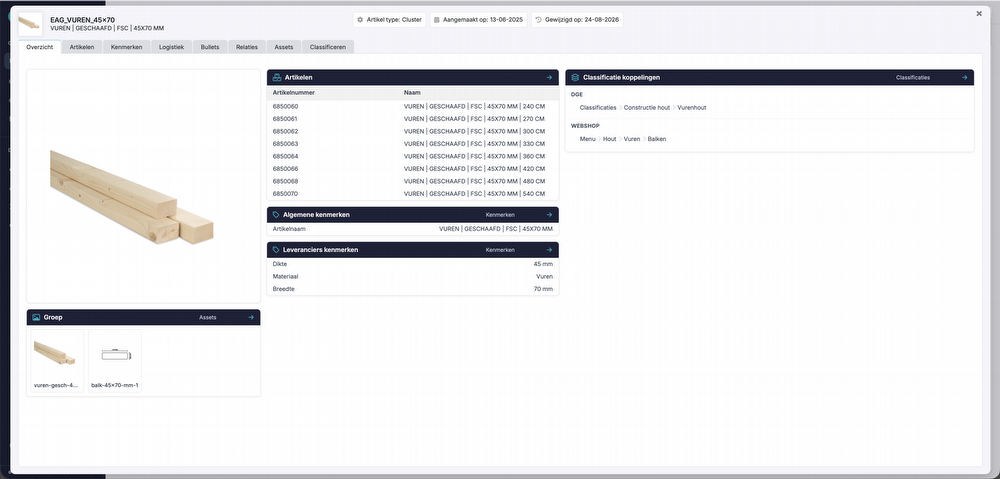
Product information summary
A new overview has been added to the product details, providing a clear summary of the linked product information. From this overview, you can navigate directly to the different sections of the product. The overview can be opened by clicking the pencil icon for an SKU. This overview is going to be furher improved for better data status visiblity and channels readiness review.
AI
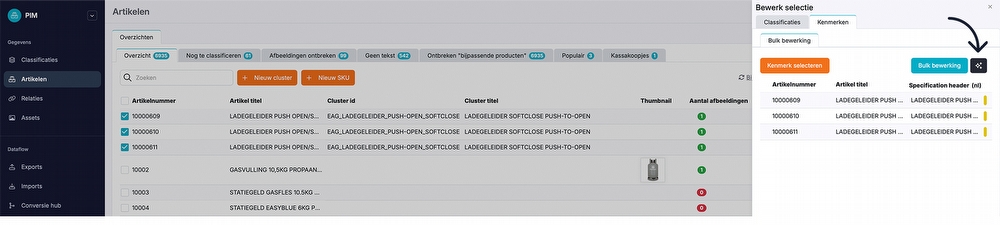
Bulk enrichment across multiple classifications
AI enrichment can now also be used during bulk edits. This makes it possible to enrich attributes for multiple articles more efficiently using AI.
Exports
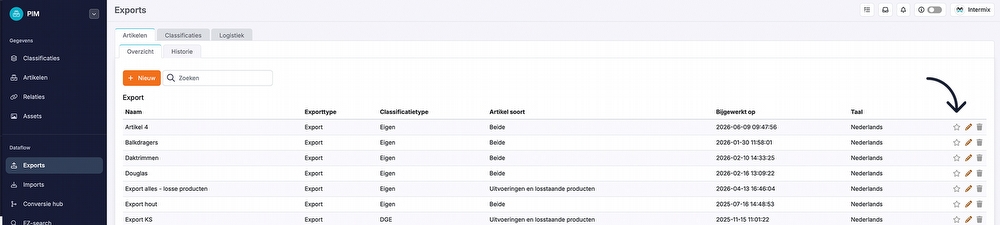
Favorites icon
Exports that are used regularly can now be marked as favorites. Favorite exports are displayed at the top of the overview, making them faster and easier to find and use.
Conversion Hub
Shopify connector support
Within Conversion Hub, it is now also possible to create a connection with Shopify.
DGE DR3 format export added
A new conversion option has been added for exporting data in the DGE DR3 format.
Pimmix Publisher
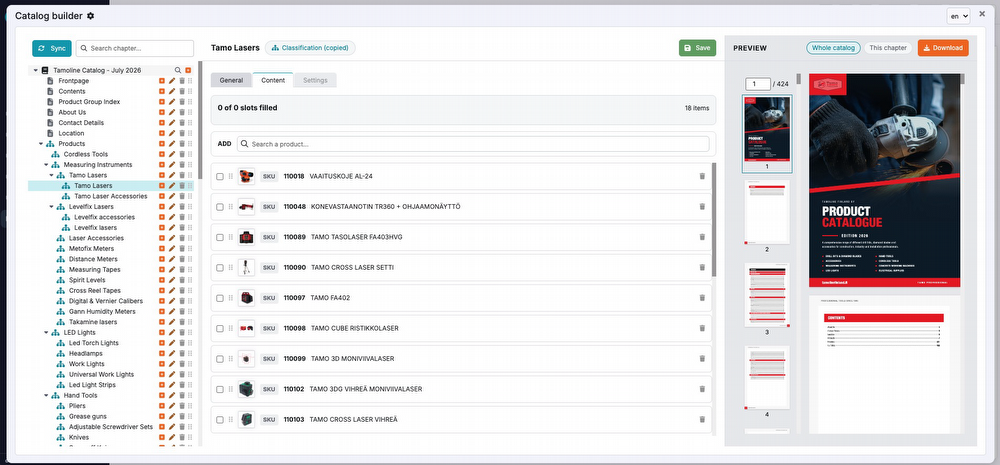
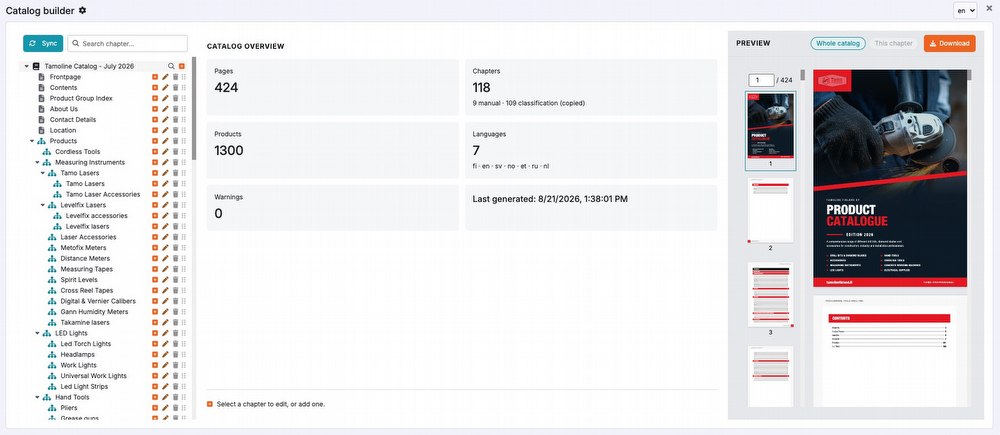
Create catalogs
In addition to generating individual technical data sheets, it is now possible to create a complete catalog. Multiple products can be combined into a single catalog and generated as a PDF, for example for use in printed materials.
API
Write article attributes via API
The Pimmix API has been extended with the ability to write article attribute values to Pimmix. This allows external systems to automatically update article attributes without requiring them to be updated manually in the PIM system.
Bug fixes
We have resolved several bugs and improved functionalities.
Would you like to review these bug fixes? Check the update button in your PIM system!
Important!
Some new functionalities may not be immediately available or visible in the PIM system. Additional costs may apply.
Please inquire about the possibilities.