
Pimmix version release 2.5 - Bulk editing and smarter price list functions
 13-3-2026
 Reading time 2 minutes
Improved control for product data and pricing
Managing product information and pricing across multiple items, channels, and partners can quickly become complex. With the improvements introduced in version 2.5, Pimmix makes it easier to maintain control over both product data and price lists while reducing manual work. These enhancements help teams update information faster, minimize errors, and keep data consistent across the entire product portfolio.
Articles
Bulk editing
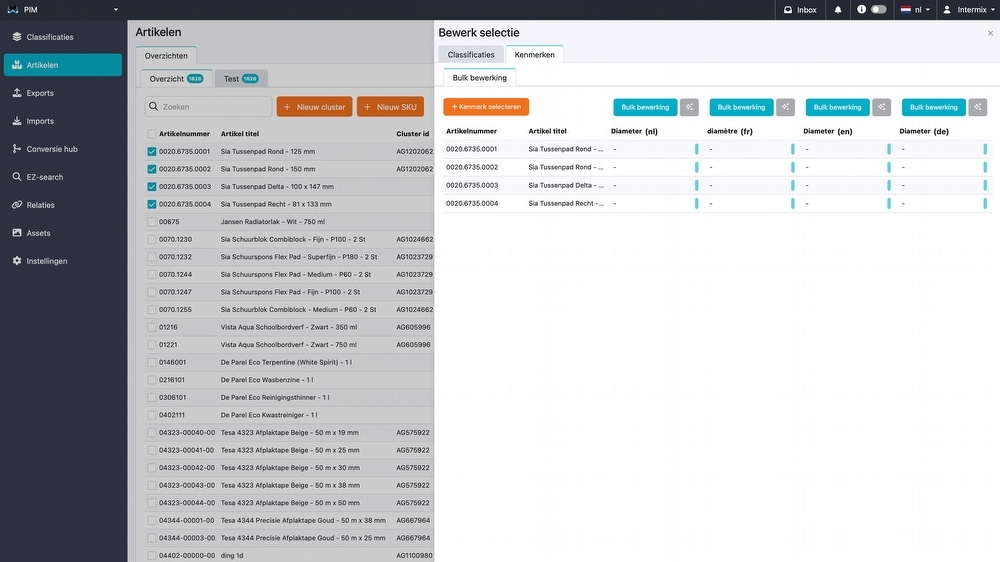
A new bulk editing feature has been added to Pimmix, making it easier to update product information across multiple items at once. Instead of editing products individually, users can now select several articles and update their data simultaneously directly in the product overviews.
This allows product data to be maintained more efficiently and makes it possible to classify and update large numbers of products in a single action. After selecting the desired products, multiple attributes can be filled in or modified at the same time, significantly reducing manual work and improving consistency across the product catalog.
Assets
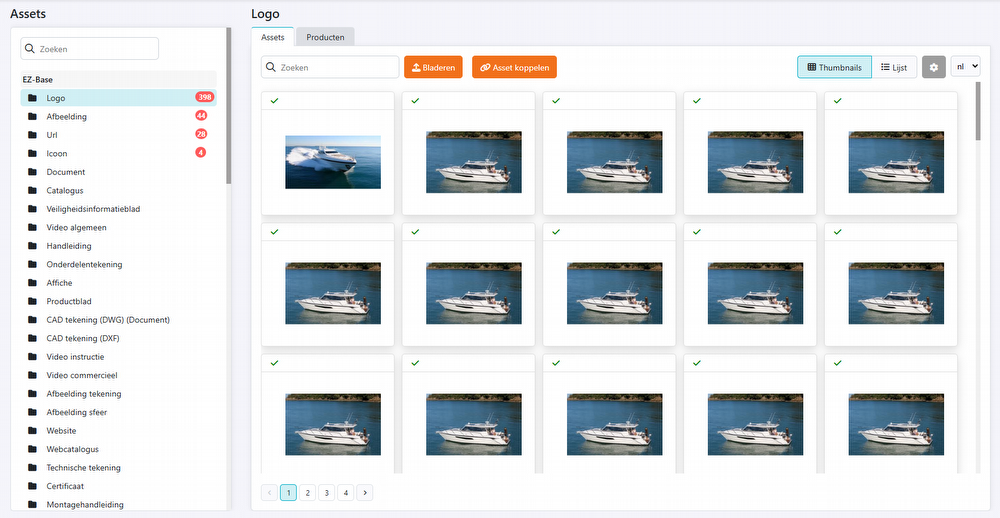
Several improvements have been made to the Assets section to make information clearer and more consistent. The updated display helps users review and manage asset data more easily within the system.
In addition, pagination has been introduced for larger asset lists, improving performance and making it easier to navigate through extensive collections of files and images.
Pricing module
Comparison overview
The comparison overview in the pricing module has been expanded and improved to make analyzing and exporting pricing data easier and more comprehensive.
1. Sortable data deviations
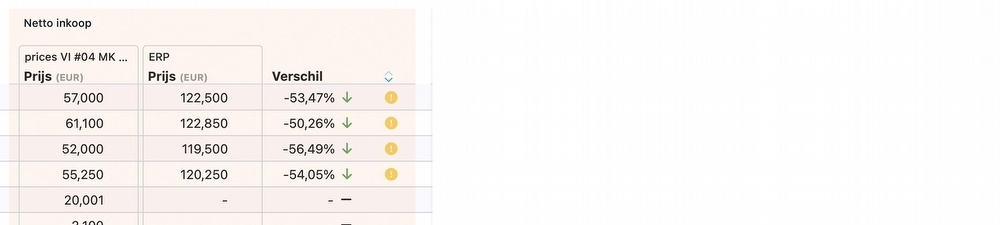
Fields that contain deviations can now be sorted directly from the column header using the sort function. This allows products with pricing differences to appear at the top of the list, making it easier to quickly identify which items require attention.
2. Discount codes added to price types
Discount codes have been added to the price types within the comparison overview. They are now also automatically included when exporting a price list, ensuring that the exported data fully matches the information displayed in the system.
3. Variable price / order units added
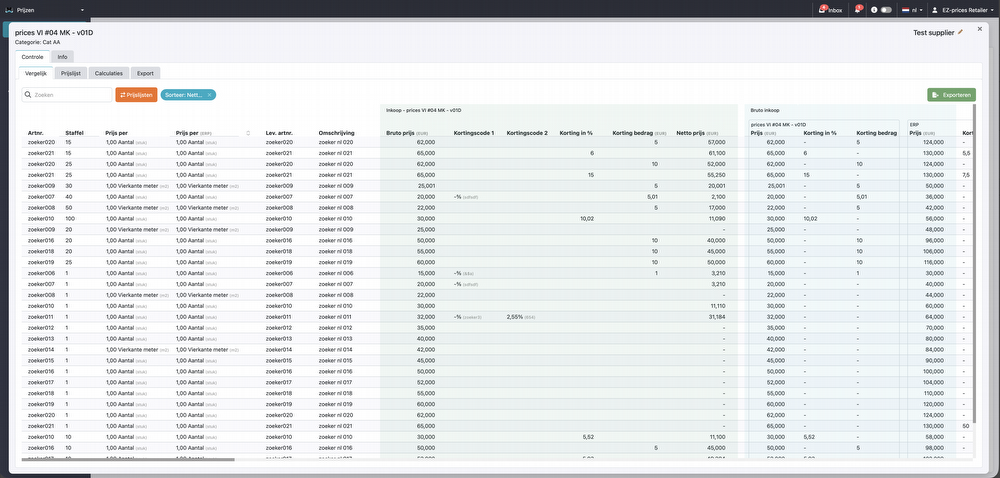
The following columns have been added to the price lists:
- Order per
- Ratio
- Minimum order quantity
- Consumption unit
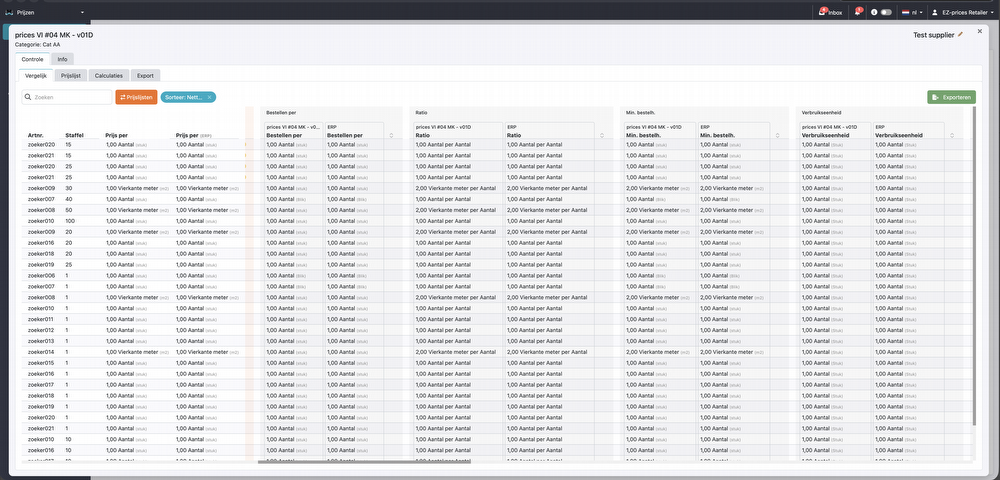
4. Export
When exporting price lists, all available columns are now included automatically. This also covers discount codes, deviations, and newly added columns.
As a result, exported price lists now fully reflect the information shown in the comparison overview, ensuring greater consistency between the system view and exported data.
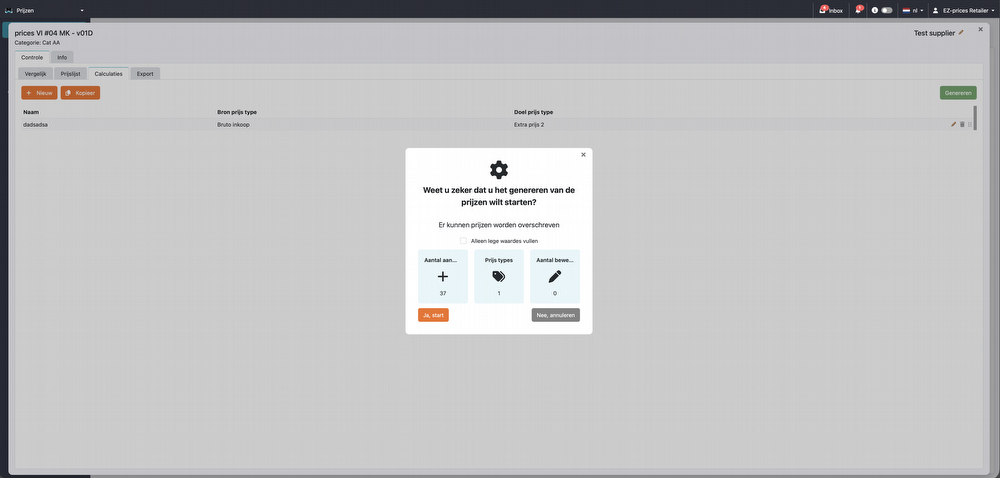
Calculations: "Fill empty values only"
A new “Fill Empty Values Only” button has been added to the calculations. This feature allows you to populate only empty fields without overwriting existing values.
It is particularly useful when supplementing calculations while preserving previously entered or manually adjusted data.
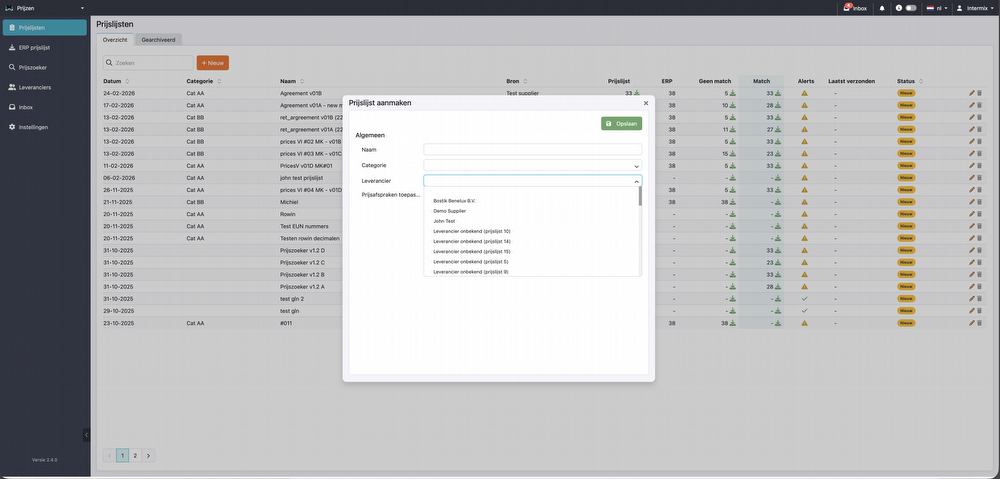
Import vendor price list: Add new vendor
When importing a vendor price list, you can select the supplier directly during the import process. Existing suppliers are automatically available in the dropdown list.
If the supplier is not yet listed, you can easily create a new one using the “New” button. The supplier will then be automatically added to the list and immediately available for further use within the pricing module.
Default discount code for new price lists
If an imported price list does not contain a discount code but a supplier discount is defined, Pimmix will now automatically assign a default discount code.
This ensures that discounts are applied consistently and prevents missing discount information during price list imports.
Vendor management
A new Vendors tab has been added to the pricing module, providing a clear overview of all suppliers in one place.
When importing a price list from a new supplier, the supplier is automatically added to this overview. Suppliers can also be added manually when needed. Within the supplier view, conditions such as discounts and discount codes can be easily reviewed and managed.
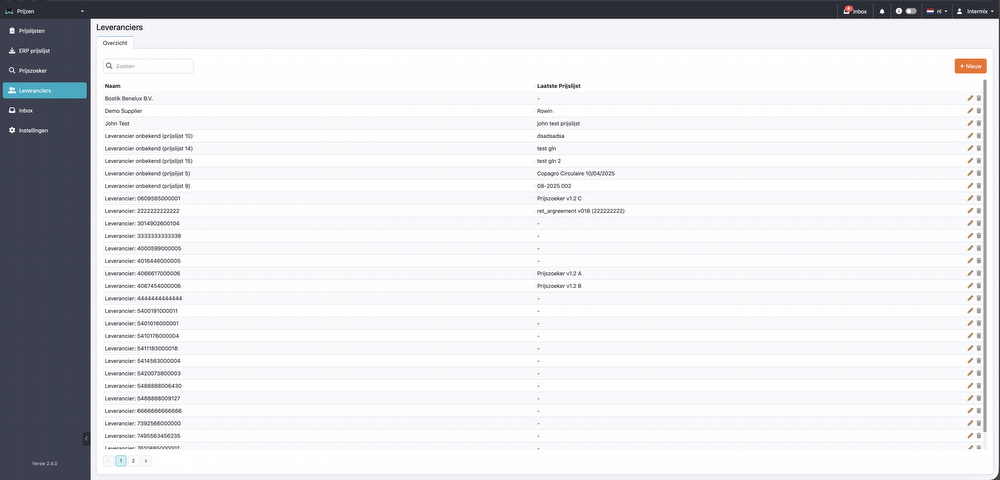
This makes it possible to maintain supplier agreements and pricing conditions centrally, ensuring better control and consistency across all vendor price lists.
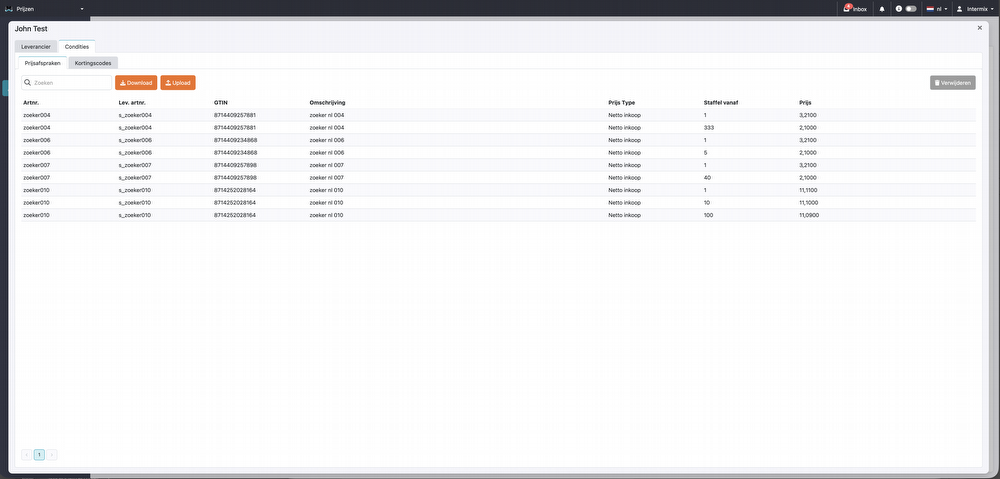
Fixed price agreements per vendor
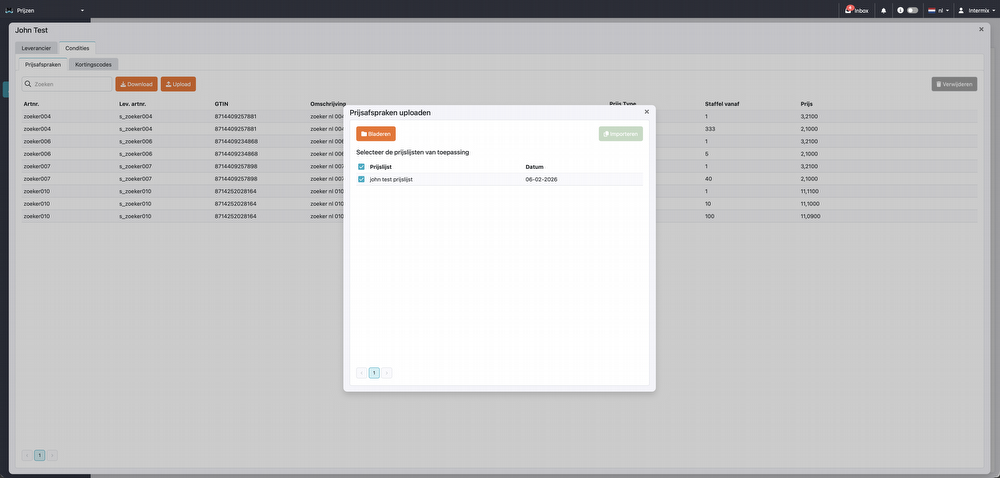
It is now possible to import a fixed price agreement list per vendor. Once uploaded, these fixed price agreements are automatically added to the comparison overview.
This allows fixed agreements to be included directly in price comparisons, making it easier to analyze supplier pricing and ensure agreed prices are correctly reflected in your pricing data.
General
File Browser
A new file browser functionality has been added.
General improvements
Several bugs have been resolved and various functionalities have been improved. To explore these updates, simply click the version button in your PIM system and review the latest improvements.
Important!
Some new functionalities may not be immediately available or visible in the PIM system. Additional costs may apply.
Please inquire about the possibilities.